Docassemble API Key
Create the API Key
You need to create an API key so you can send code from VS Code to Docassemble. Once your account is created do the following:
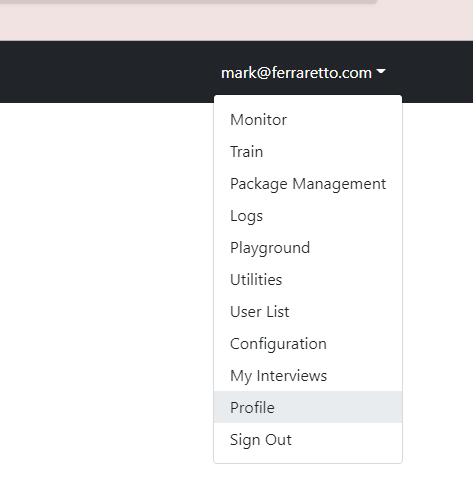
- From the top-right menu in Docassemble select 'Profile'
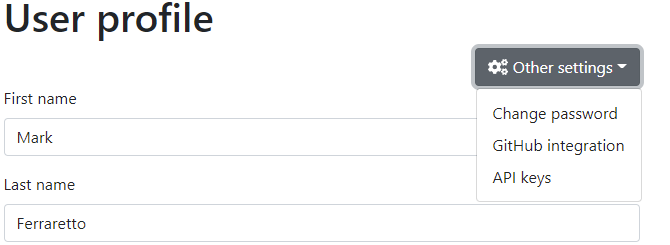
- From the 'Other Settings' menu select 'API Keys'
- Click on 'Add a New API Key'
- Give your new key a name (it can be anything but don't forget it!) and set the key to have no authentication
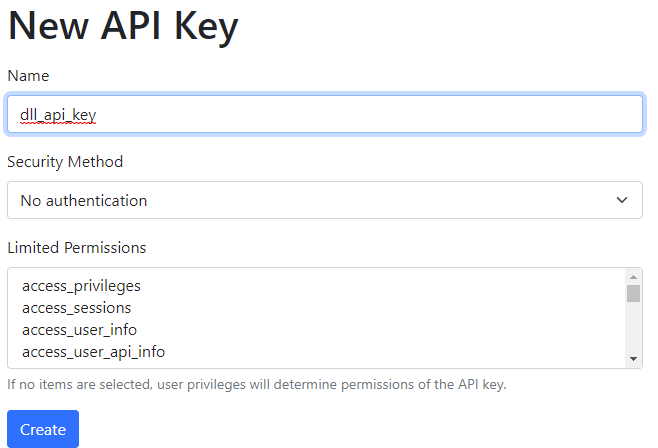
- Click 'Create'
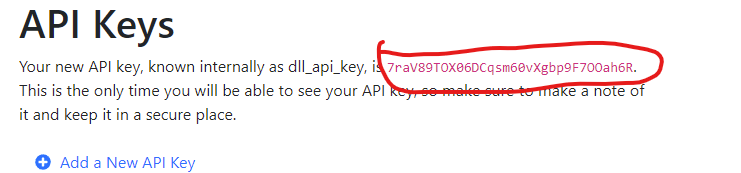
- Copy the key. You're going to need it! You might want to paste the key somewhere so you don't lose it. You'll need it for your secrets file.
Create a secrets.json file.
You need to store your API key so other scripts can access it. We'll store it in a file called secrets.json in your Software directory.
> cd $home\Software
> code secrets.json
Paste this into your new secrets.json file and then save it
{
  "dev_dll_api_key" : {
    "api_key"  : "YourAPIKeyGoesHere",
    "api_root" : "https://dev.dll.org.au/da/api"
  }
}
- Make sure you get the spacing, commas, colons and quotes correct otherwise we won't be able to process your secret properly.
- You can call your secret anything you like. I've used
dev_dll_api_keyin this document as an example. You can use that name too if you like!